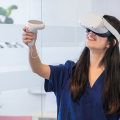
In a world where technology is reshaping every aspect of our lives, virtual reality (VR) emerges as a groundbreaking tool that transcends traditional learning methods. Imagine a classroom where students don’t just read about historical events but can actually step into the shoes of historical figures, experiencing their challenges and triumphs firsthand. This is the transformative power of VR, which offers an immersive experience that captivates learners and enhances engagement like never before. The conventional educational landscape often struggles to keep students motivated and involved, but with the introduction of virtual reality, the possibilities are endless. From exploring the depths of the ocean to traversing the vastness of outer space, VR allows learners to explore complex concepts in a fully interactive environment.
This level of engagement not only makes learning more enjoyable but also significantly improves retention and understanding. As we delve deeper into this article, we will explore how virtual reality enhances learning outcomes across various disciplines, providing insights into its practical applications and the profound impact it can have on education. Join us on this journey to uncover the immense potential of VR in revolutionizing the way we learn, making education not just a process but an exhilarating adventure. Virtual reality (VR) is revolutionizing the landscape of education, offering immersive experiences that enhance learning outcomes in unprecedented ways. As technology continues to evolve, VR has emerged as a powerful tool that caters to various learning styles, making education more engaging and effective. By providing immersive learning experiences, VR allows students to explore complex concepts in a hands-on manner, leading to deeper understanding and improved retention of information. One of the most significant benefits of VR in education is its ability to create interactive simulations that captivate learners' attention.
Unlike traditional teaching methods, which often rely on passive listening and reading, VR immerses students in environments where they can actively participate in their learning journey. For instance, students can conduct virtual experiments in a science lab or take part in historical reenactments, allowing them to experience the subject matter in a way that textbooks cannot replicate. This level of engagement not only keeps learners interested but also enhances their ability to grasp challenging subjects. Moreover, VR enables students to embark on virtual field trips, transporting them to distant locations without leaving the classroom. Imagine a biology class where students can explore the depths of the ocean or a history lesson that takes them back to ancient civilizations.
These experiences foster curiosity and encourage exploration, helping students connect with the material on a personal level. However, despite its transformative potential, many educators and learners face challenges when it comes to activating and setting up their VR systems. Common issues include difficulties with connectivity, software compatibility, and hardware setup. To address these challenges, it is essential to provide clear instructions for setting up popular VR headsets such as the Oculus Quest, HTC Vive, or PlayStation VR. To set up an Oculus Quest, begin by ensuring that your headset is fully charged. Download the Oculus app on your smartphone and create an account if you haven’t already.
Follow the app’s instructions to pair your headset with your phone. Once paired, put on your headset and complete the initial setup, which includes defining your play area. For HTC Vive users, start by connecting the base stations to power and positioning them at diagonal corners of your play area. Connect the headset to your computer via the appropriate cables, then install the SteamVR software to finalize your setup.
PlayStation VR requires connecting the headset to the PlayStation console using the processing unit provided in the box. Once connected, follow the on-screen prompts on your console for calibration. In addition to setup instructions, troubleshooting tips are crucial for ensuring a smooth activation process. Common connectivity problems can often be resolved by checking that all cables are securely connected and that devices are within range of each other. Software compatibility issues may arise if your operating system is outdated; ensuring your system meets the recommended specifications will help avoid these problems.
Additionally, regularly updating your VR software can prevent glitches during use. When it comes to choosing the right VR headsets, several options stand out based on user experience, price, and educational applications. The Oculus Quest offers an affordable entry point with its standalone capabilities and extensive library of educational content. The HTC Vive provides high-quality graphics and an expansive range of interactive applications for more advanced users willing to invest in their setup. Meanwhile, PlayStation VR appeals to gamers who also seek educational experiences through its diverse game library. Once VR systems are activated successfully, users can access a wealth of experiences tailored to different educational subjects.
From anatomy lessons where students can explore the human body in 3D to language learning applications that immerse users in foreign cultures, VR opens doors to innovative teaching methodologies. These experiences not only enhance understanding but also encourage collaborative learning as students can work together in virtual environments. In conclusion, as interest in virtual reality continues to grow among educators and learners alike, it becomes increasingly important to understand both its potential and its practical implementation challenges. By leveraging VR technology, we can unlock new pathways for learning that enrich educational outcomes and prepare students for success in an ever-changing world.
Troubleshooting Common Activation Issues
As educators and students increasingly embrace virtual reality (VR) technology, it is essential to be aware of potential activation issues that may arise during setup. Understanding these common problems and their solutions can ensure a smooth transition into the world of immersive learning. One frequent issue users face is software compatibility.Before activating your VR system, ensure that your device meets the minimum requirements for the software you intend to use. If the software fails to launch, check for updates or patches that may resolve compatibility problems. Another common problem is hardware connectivity. Users often experience difficulties connecting their VR headsets to computers or consoles. Make sure all cables are securely plugged in and that you are using the correct ports.
Additionally, verify that your device drivers are up to date to prevent connectivity issues. Users may also encounter tracking problems, which can hinder the overall VR experience. Ensure that the tracking sensors are positioned correctly and free from obstructions. If tracking issues persist, recalibrating the sensors may resolve the problem. Finally, some users report difficulties with account activation, such as issues with login credentials or license verification. Double-check your account details and ensure your internet connection is stable.
If problems continue, consider reaching out to customer support for further assistance. By addressing these common activation issues, educators and learners can fully harness the potential of VR technology in enhancing educational outcomes.
Recommendations for the Best VR Headsets
When considering the integration of virtual reality into educational settings, selecting the right VR headset is crucial for optimizing learning outcomes. Here are some of the top VR headsets that stand out for educational purposes:Oculus Quest 2: This all-in-one headset is popular among educators due to its affordability and user-friendly interface. With a wide range of educational applications available, the Oculus Quest 2 offers immersive experiences that can enhance student engagement and understanding.HTC Vive Pro
: Known for its high-resolution display and precise tracking capabilities, the HTC Vive Pro provides an exceptional VR experience. It is ideal for more advanced educational applications, particularly in fields like science and engineering where detailed simulations are beneficial.Valve Index
: While slightly more expensive, the Valve Index offers excellent visuals and a high refresh rate, making it suitable for interactive learning experiences.Its advanced controllers allow for natural hand movements, enhancing the interactivity of educational content.
Samsung Odyssey+
: This headset is known for its impressive visuals and comfort, making it a great option for long-term use in educational environments. The Samsung Odyssey+ is compatible with Windows Mixed Reality, providing access to a variety of educational applications. When choosing a VR headset for educational purposes, it is essential to consider factors such as budget, ease of use, and the specific learning objectives. Each of these headsets offers unique features that can significantly enhance the learning experience through immersive virtual reality.Exploring Educational Experiences in Virtual Reality
Once activated, virtual reality opens up a myriad of educational experiences that can significantly enhance learning outcomes. These experiences span various subjects and cater to different learning styles, making education more engaging and effective. One prominent application of VR in education is in the realm of science.Students can immerse themselves in complex biological processes, such as cellular respiration or the human anatomy, through interactive simulations. This hands-on approach allows learners to visualize and understand intricate details that traditional textbooks may fail to convey. In history education, virtual reality enables students to take virtual field trips to significant historical sites or events. Imagine walking through the ruins of ancient Rome or witnessing pivotal moments in history, such as the signing of the Declaration of Independence. Such experiences foster a deeper connection to historical narratives and enhance retention of information. The world of mathematics also benefits from VR applications, where students can engage with 3D geometric shapes and complex equations in an interactive environment.
This visual representation aids in understanding abstract concepts and encourages problem-solving skills. Moreover, language learning is transformed through immersive VR environments that simulate real-life conversations with native speakers. This practical application of language skills boosts confidence and fluency in learners. Lastly, vocational training programs are leveraging virtual reality to prepare students for real-world challenges. From medical procedures to engineering practices, learners can practice their skills in a risk-free environment, ensuring they are well-prepared for their future careers. Overall, the activation of virtual reality technology in education not only enhances learning outcomes but also makes the educational experience more enjoyable and memorable for students.
The Benefits of Virtual Reality in Education
Virtual Reality (VR) has emerged as a groundbreaking tool in the field of education, offering unique opportunities for enhancing learning outcomes. By providing immersive experiences, VR allows learners to engage with educational content in ways that traditional methods cannot achieve.This technology enables students to step inside complex environments, interact with 3D models, and explore scenarios that would be impossible in a standard classroom setting. One of the primary advantages of VR in education is its ability to foster experiential learning. Students can participate in simulations that replicate real-world situations, such as conducting scientific experiments or exploring historical events. This hands-on approach not only makes learning more engaging but also enhances retention, as learners are more likely to remember information that they have actively experienced. Moreover, VR caters to various learning styles, making education more accessible for diverse student populations. Visual learners can benefit from interactive graphics and simulations, while kinesthetic learners can engage through physical interaction with virtual objects.
This adaptability supports personalized learning paths, allowing educators to meet the unique needs of each student. Another significant benefit of VR is its ability to break down geographical barriers. With VR technology, students from different parts of the world can collaborate in shared virtual spaces, fostering cross-cultural communication and teamwork. This global perspective enriches the learning experience and prepares students for an increasingly interconnected world. Furthermore, VR can enhance motivation and engagement. The novelty of using VR in educational settings often captivates students' attention and encourages them to take an active role in their learning process.
This heightened engagement can lead to improved academic performance and a deeper understanding of complex concepts. In summary, the integration of virtual reality in education offers numerous benefits that enhance learning outcomes. By creating immersive experiences, fostering experiential learning, accommodating diverse learning styles, breaking geographical barriers, and increasing motivation, VR has the potential to transform traditional educational practices.
Setting Up Your Virtual Reality Headset
Activating your virtual reality headset is a crucial first step towards unlocking the immersive educational experiences that VR has to offer. Whether you're using a popular device like the Oculus Quest, HTC Vive, or PlayStation VR, the setup process is generally similar. Below is a detailed step-by-step guide to help you get started.Step 1: Unbox and Inspect
Begin by carefully unboxing your VR headset.
Ensure that all components are present, including the headset, controllers, charging cables, and any other accessories. Check for any visible damage before proceeding.
Step 2: Charge Your Headset
Before activating your headset, it’s essential to charge it fully. Connect the charging cable to the headset and plug it into a power outlet. Allow it to charge until the indicator light shows that it's ready for use.
Step 3: Install Necessary Software
Most VR headsets require specific software to function correctly.
Visit the official website of your headset manufacturer and download the necessary applications or drivers. This may include setting up a dedicated PC application for devices like the HTC Vive.
Step 4: Create an Account
If prompted, create an account with the VR platform associated with your headset. This account will allow you to access various educational apps and experiences tailored for learning.
Step 5: Connect Your Headset
For standalone headsets like the Oculus Quest, follow the on-screen instructions to connect to Wi-Fi. For tethered headsets, connect your headset to your PC using the appropriate cable and ensure that your computer meets the system requirements.
Step 6: Adjust Settings
Once connected, adjust your headset settings for optimal comfort and performance.
This includes adjusting the lens distance for clarity and configuring audio settings based on your preference.
Step 7: Calibrate Your Play Area
Set up your play area by following the calibration instructions provided by your headset. This often involves defining your play space boundaries to ensure a safe and immersive experience.
Step 8: Explore VR Content
After setup, navigate to the app store available on your device. Browse through various educational experiences and download those that interest you. Many platforms offer free trials or demos, which can be an excellent way to start. By following these steps, you’ll be well on your way to activating your virtual reality headset and experiencing its transformative potential in education.
Embrace the immersive learning opportunities that await!In conclusion, we have explored the remarkable benefits of virtual reality in education, emphasizing its capacity to transform traditional learning into immersive experiences that significantly enhance learning outcomes. By properly setting up your virtual reality headset and understanding how to troubleshoot common activation issues, educators and learners can unlock the full potential of this innovative technology. As interest in VR technology continues to grow among both educators and students, it is crucial to recognize the importance of not just having access to VR but also ensuring it is activated and utilized effectively for educational purposes. We encourage you to delve deeper into the world of educational experiences in virtual reality and explore how VR can enrich your learning journey. Take the first step today by researching the best VR headsetsbest VR headsets for your needs and consider how you can integrate virtual reality into your educational practices. Your adventure into the future of learning awaits!.