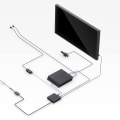
In the ever-evolving world of virtual realityvirtual reality, the demand for immersive experiences has reached unprecedented heights. As technology advances, high-end VR headsets have emerged as the pinnacle of this revolution, offering users unparalleled levels of realism and interactivity. Whether you are a passionate gamer, a professional in training simulations, or an enthusiast exploring virtual landscapes, the right headset can transform your experience from ordinary to extraordinary. But what exactly sets these premium devices apart from their more affordable counterparts? What are the defining features of high-end VR headsets that justify their price tags and elevate your virtual adventures? In this article, we will delve into the top features that make high-end VR headsets stand out in the crowded marketplace. From advanced display technology and superior audio systems to enhanced tracking capabilities and ergonomic designs, each element plays a crucial role in creating an immersive experience. Join us as we explore these key features, revealing how they contribute to a lifelike encounter that captivates the senses and transports users into breathtaking virtual realms.
Prepare to uncover the essentials that can help you make an informed decision when investing in your next VR headset. The world of virtual reality (VR) has rapidly evolved, captivating the imagination of technology enthusiasts and casual users alike. High-end VR headsets are at the forefront of this revolution, offering unparalleled immersive experiences that transport users to entirely new worlds. To truly appreciate the potential of these devices, it is essential to understand the features of high-end VR headsets that contribute to their performance and user satisfaction. One of the most critical aspects of any VR headset is its display resolution. Higher resolutions lead to sharper images, reducing the screen-door effect that can detract from immersion.
For instance, headsets like the Valve Index boast resolutions of 1440 x 1600 per eye, while others like the HP Reverb G2 take it a step further with a stunning 2160 x 2160 per eye. This clarity allows users to see fine details in their virtual environments, making experiences more realistic and engaging. Equally important is the field of view (FOV), which refers to how much of the virtual world can be seen at any given time. A wider FOV enhances immersion by allowing users to perceive a more expansive environment. Many high-end headsets offer a FOV of 110 degrees or more, enabling users to feel as though they are truly present in their virtual surroundings.
The Oculus Quest 2, for example, has a FOV of approximately 90 degrees, while the Pimax 8K X offers an impressive FOV of up to 200 degrees. The refresh rate is another crucial feature that impacts the overall experience. A higher refresh rate results in smoother motion, which is particularly important during fast-paced gaming or action sequences. Most high-end VR headsets now offer refresh rates of at least 90Hz, with some even supporting up to 120Hz or beyond. This means that users can enjoy fluid visuals without experiencing motion sickness or discomfort, making for a more enjoyable experience. Tracking technology is essential for creating a seamless interactive experience in VR.
High-end headsets utilize advanced tracking systems, such as inside-out tracking or external sensor setups, to accurately capture user movements. The HTC Vive uses external base stations for precise tracking, while newer models like the Oculus Quest 2 rely on built-in cameras for inside-out tracking. This technological evolution allows for greater freedom of movement and reduces setup complexity. Audio quality cannot be overlooked when discussing the features of high-end VR headsets. Immersive sound enhances the overall experience by providing spatial audio cues that help users locate sounds within their virtual environments.
Many premium headsets come equipped with integrated audio solutions or allow for high-quality headphone connections. The Valve Index, for example, features off-ear speakers that deliver rich sound without compromising comfort. Setting up a VR headset can seem daunting at first, but following a simple step-by-step process can make it straightforward. Begin by ensuring you have the necessary hardware components: a compatible computer or console with adequate specifications, sufficient USB ports, and a stable internet connection for software installation. Next, unbox your headset and connect it according to the manufacturer's guidelines—this typically involves connecting cables to your computer and setting up any external sensors if required. After physical setup, it’s time to install the required software.
Most high-end VR headsets come with dedicated applications or platforms (like SteamVR for Valve Index) that need to be downloaded and installed on your system. Follow the on-screen instructions during installation and ensure that your headset firmware is updated for optimal performance. Once everything is set up and activated, you might encounter some common troubleshooting issues. If you experience connectivity problems, double-check all cable connections and ensure your headset is properly recognized by your computer. Restarting both your PC and the VR software often resolves minor glitches.
If software issues persist, reinstalling drivers or performing a factory reset on your headset may be necessary. Upon successful activation, users can dive into a plethora of experiences available in VR. The gaming landscape has flourished with titles designed specifically for VR platforms, offering everything from action-packed adventures to immersive puzzle-solving games. Furthermore, educational applications provide unique learning experiences, allowing users to explore historical sites or scientific concepts in an interactive manner. Virtual tourism has also gained traction, enabling users to visit far-off destinations from the comfort of their homes, providing a taste of adventure without the need for travel. In conclusion, understanding the essential features of high-end VR headsets is vital for maximizing enjoyment and fully embracing what virtual reality has to offer.
From display resolution and field of view to refresh rates and audio quality, each element plays a significant role in crafting an immersive experience that captivates users across various applications.
Key Features to Look For in High-End VR Headsets
When exploring the world of high-end VR headsets, several key features stand out that significantly enhance the user experience. Understanding these features is essential for anyone looking to invest in a top-tier virtual reality device.Resolution
is one of the most critical aspects to consider. High-end VR headsets typically offer resolutions that range from 1440 x 1600 pixels per eye to 4K and beyond. This high pixel density results in sharper images and reduces the "screen door effect," where users can see the lines between pixels, thereby providing a more immersive experience. Another vital feature is tracking technology.Advanced tracking systems, such as inside-out tracking or external sensors, allow for greater accuracy and freedom of movement. Inside-out tracking uses cameras on the headset itself to map the environment, while external sensors can provide even more precise tracking, making it easier for users to interact with virtual environments seamlessly. The audio quality of a VR headset also plays a significant role in immersion. Many high-end models come equipped with spatial audio technology that creates a 3D sound environment. This feature enhances realism by allowing users to hear sounds from different directions, mimicking real-world audio experiences and further drawing them into the virtual realm. Other notable features include field of view, which determines how much of the virtual environment a user can see at once, and comfort, which is essential for prolonged use.
High-end VR headsets are designed with adjustable straps and lightweight materials to minimize discomfort during extended sessions. Lastly, compatibility with software and platforms should not be overlooked. The best high-end VR headsets offer broad compatibility with various games and applications, ensuring users have access to an extensive library of content to explore. In summary, when selecting a high-end VR headset, focus on these key features—resolution, tracking technology, audio quality, field of view, comfort, and compatibility. Each of these elements contributes to a richer and more engaging virtual reality experience.
Exploring Virtual Reality Experiences
Once you have set up your high-end VR headset, a whole new world of immersive experiences awaits you.Virtual reality gaming
is one of the most popular applications, allowing players to step into richly designed worlds and interact with environments in ways that traditional gaming cannot offer.Titles like Half-Life: Alyx and Beat Saber showcase the potential for engaging gameplay that fully utilizes the capabilities of high-end hardware. Beyond gaming, virtual reality simulations are increasingly used for training and educational purposes. Industries such as aviation, medicine, and military training leverage VR to create realistic scenarios where users can practice skills without real-world consequences. For instance, medical students can perform virtual surgeries to hone their skills before working on actual patients. The social experience of VR should not be overlooked, as platforms like VRChat and Rec Room enable users to meet and interact with others in virtual environments. This adds a layer of connection that enhances the overall experience, making it feel more communal and engaging. Additionally, high-end VR headsets support immersive storytelling, offering users a chance to explore narratives in an interactive format.
Experiences like The Walking Dead: Saints & Sinners allow players to make choices that influence the story, creating a personalized journey that traditional media simply cannot replicate. Lastly, there is the realm of virtual tourism, where users can explore famous landmarks and destinations from the comfort of their homes. This application not only provides entertainment but also educates users about different cultures and places, making it a valuable tool for exploration. Overall, once your high-end VR headset is set up and activated, the range of experiences available is vast and varied, catering to gamers, learners, socializers, storytellers, and explorers alike.
Setting Up Your High-End VR Headset
Setting up your high-end VR headset is crucial for achieving the ultimate immersive experience. Follow this step-by-step guide to ensure everything is configured correctly.Step 1: Unbox and Inspect
Carefully unbox your VR headset and check for all components, including the headset, controllers, sensors, and cables. Ensure there are no visible damages.
Step 2: Choose the Right Space
Select a suitable area that is clear of obstacles.
Ideally, you should have enough room to move around freely while wearing the headset. A space of at least 6.5 x 6.5 feet is recommended.
Step 3: Connect to Power and Computer
Plug in the headset to a power source if required. Connect the USB and HDMI or DisplayPort cables from the headset to your computer. Make sure your PC meets the required specifications for optimal performance.
Step 4: Install Necessary Software
Download and install the software required for your VR headset.
This may include drivers and specific VR platforms such as SteamVR or Oculus software. Follow the on-screen instructions during installation.
Step 5: Set Up Sensors and Tracking
If your VR system uses external sensors, place them in the designated positions according to the manufacturer's instructions. Ensure they have a clear line of sight to the play area for accurate tracking.
Step 6: Calibrate Your Headset
Once everything is connected, launch the software and calibrate your headset. Follow the prompts to set up your play area boundaries, adjust settings, and test controller functionality.
Step 7: Personalize Settings
After calibration, take some time to personalize your settings.
Adjust visual quality, audio preferences, and comfort settings according to your liking.
Step 8: Start Experiencing VR
With everything set up and personalized, you are ready to dive into the world of virtual reality. Launch a game or experience and enjoy the immersive adventure!
Troubleshooting Activation Issues
Activating high-end VR headsets can sometimes present challenges that may hinder your immersive experience. Here are some common problems users face and their solutions:1.Software Compatibility Issues: Ensure that your VR headset is compatible with your PC or console. Check the system requirements specified by the manufacturer, and update your operating system and graphics drivers to the latest versions.2.Connection Problems:
If your headset isn't recognized, verify that all cables are securely connected.For wireless headsets, ensure that Bluetooth is enabled and that the headset is in pairing mode. Restarting both the headset and the device may also resolve connectivity issues.
3.Account Activation Errors:
Users may encounter difficulties when trying to activate their headset through an account. Make sure you are logged into the correct account associated with your VR headset and check for any email verification steps that need to be completed.4.Sensor and Tracking Issues:
If the headset fails to track movements accurately, check that the sensors are unobstructed and placed correctly according to the manufacturer's guidelines. Clean the lenses and sensors to ensure they are free from dust or smudges.5.Firmware Updates:
Outdated firmware can lead to activation problems.Regularly check for firmware updates through the device's companion app or software and install any available updates. By following these troubleshooting tips, users can effectively address common activation issues, allowing for a smoother transition into the exciting world of virtual reality. In conclusion, understanding the features of high-end VR headsets is essential for anyone looking to fully immerse themselves in the captivating world of virtual reality. By familiarizing yourself with these features, you can ensure a seamless and enjoyable experience that maximizes the potential of your headset. As you explore the various options available, consider your unique needs and preferences, whether it's the type of games you play, the level of immersion you seek, or your budget. The right high-end VR headset will not only enhance your gaming but also open up a new realm of interactive experiences. Embrace the joy of virtual reality and take the time to research and choose a headset that aligns with your desires. Your journey into this exciting technology awaits!.