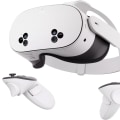
As we stand on the cusp of a technological revolution, virtual reality (VR) is poised to transform not just how we play games, but how we interact with the world around us. Imagine stepping into a realm where the boundaries between the digital and physical blur, creating experiences that are not just immersive but profoundly impactful. The future of VR technology is not merely about enhanced graphics or more sophisticated headsets; it's about the limitless potential of human experience. In recent years, we've witnessed significant advancements in VR, from its applications in gaming to its use in education, healthcare, and beyond. Yet, as we look forward, we must ask ourselves: what are the emerging trends and innovations that will shape the next generation of virtual experiences? How will these advancements redefine our interactions with technology and each other?This article aims to explore the exciting possibilities that lie ahead for VR applicationsVR applications, delving into the innovations that are set to revolutionize this space.
We will investigate how developments in hardware, software, and user experience design will pave the way for new applications that we can only begin to imagine today. Join us as we journey into the future directions of virtual reality technology, uncovering insights and predictions that will illuminate what lies ahead in this dynamic field. The world of VR technology is evolving at an unprecedented pace, with numerous advancements on the horizon that promise to transform how we engage with this immersive medium. Current iterations of VR headsets are already providing users with remarkable experiences, but anticipated improvements in hardware, software, and user experience are set to elevate this technology to new heights. As we look towards the future, it is essential to explore these advancements and understand their implications for users across various domains. One of the most significant areas of anticipated improvement lies in hardware advancements.
Upcoming VR headsets are expected to feature higher resolution displays, resulting in crisper visuals and a more realistic experience. Innovations such as eye-tracking technology will allow for foveated rendering, meaning that the headset will only render what the user is looking at in high detail, optimizing performance and reducing the load on graphics processing units (GPUs). Additionally, advancements in motion tracking and haptic feedback systems will create more immersive interactions, enabling users to feel sensations that mimic real-world experiences. Alongside hardware enhancements, software developments will play a crucial role in shaping the future of VR technology. Enhanced algorithms for spatial audio will provide users with a more accurate soundscape, making virtual environments feel more lifelike.
Moreover, the rise of cloud-based VR solutions will allow for seamless updates and access to a wider range of content without the need for extensive local storage. This development will foster a more dynamic library of applications and experiences available to users. The impact of these innovations will be profound, fundamentally altering how individuals interact with VR technology. As headsets become lighter, more comfortable, and easier to set up, the barrier to entry will lower significantly. This accessibility will attract a broader audience beyond gaming enthusiasts, paving the way for VR applications in education, healthcare, and social interaction.
For instance, students may engage with immersive educational experiences that enhance learning retention by allowing them to explore historical events or scientific phenomena firsthand. For those interested in diving into the world of VR, setting up various headsets is a straightforward process. Take the Oculus Quest, for instance. Begin by charging the headset and downloading the Oculus app on your smartphone. Once charged, power on the headset and follow the on-screen instructions to create an account or log in.
You'll be prompted to adjust your play area by designating a safe boundary using your controllers. Ensure that you have a stable Wi-Fi connection for downloading games and applications from the Oculus Store. After completing these steps, you can easily browse and install your favorite VR titles. For those opting for a more advanced setup like the HTC Vive, the process involves slightly more equipment. Start by connecting the base stations to power and positioning them diagonally across from each other in your play area for optimal tracking.
Next, connect the link box to your PC via USB and HDMI. Install SteamVR on your computer if you haven't done so already, then launch it and follow the prompts to configure your headset. Don’t forget to adjust your play area settings in SteamVR for a seamless experience. Despite careful setup, users may encounter common issues such as connectivity problems or tracking inconsistencies. To troubleshoot these issues, start by checking all connections and ensuring that base stations are correctly positioned and powered on.
Restarting both the headset and PC can resolve many software glitches. Additionally, clearing any obstructions from the play area can help improve tracking quality. When considering which VR headsets are best for different needs, it's essential to weigh factors such as price, performance, and user reviews. The Oculus Quest 2 stands out as an affordable all-in-one solution with impressive graphics and a robust library of games. For those seeking superior performance with expansive features, the Valve Index offers high-quality visuals and excellent tracking capabilities but comes at a higher price point.
Each headset has its strengths based on user preferences; thus, reviewing expert recommendations can guide buyers toward an informed decision. The diversity of VR experiences is one of its most appealing aspects. In gaming, titles like Half-Life: Alyx have set benchmarks for immersion and storytelling within virtual spaces. Meanwhile, virtual tours offer users the chance to explore global landmarks without leaving home; platforms like Google Earth VR make this possible with stunning visuals. In training simulations, industries such as aviation and healthcare utilize VR to provide hands-on experience in risk-free environments—equipping trainees with essential skills before real-world application. Social platforms like VRChat further demonstrate how VR can forge connections between people in digital spaces, allowing users to meet friends or join communities regardless of geographical boundaries.
These varied applications showcase how advancements in VR technology will enable individuals not just to consume content but also to create meaningful interactions within virtual environments. As we navigate this exciting landscape of virtual reality advancements, it becomes clear that each innovation brings us closer to realizing the full potential of immersive technology. With improved hardware, sophisticated software solutions, and enhanced user experiences on the horizon, we are poised for a future where VR becomes an integral part of our daily lives across multiple domains.
Troubleshooting Common Activation Issues
Activating a VR system can sometimes be a challenging process, leading to frustration for users eager to dive into immersive experiences. Here are some common problems encountered during the activation of VR technology and practical solutions to help troubleshoot these issues.1.Compatibility Issues:
One of the most frequent problems is compatibility between the VR headset and the user's hardware. Before activation, ensure that your computer or console meets the minimum requirements specified by the VR manufacturer.Check for updates on drivers or system software that may need to be installed.
2.Connection Problems:
Users may experience difficulties connecting their VR headset to their device. Verify that all cables are securely connected and that the correct ports are used. If using a wireless connection, ensure that the headset is within range of the receiver and that there are no interferences.3.Software Installation Errors:
Sometimes, installation errors occur when downloading and setting up VR software. Ensure that you have a stable internet connection during the download process.If errors persist, consider uninstalling and reinstalling the software or checking for any updates provided by the VR platform.
4.Account Activation Issues:
Users often face challenges with account setup or activation codes. Double-check that you have entered your email address correctly and verify that you have received any necessary confirmation emails. If activation codes fail, consult customer support for assistance.5.Sensor Calibration Problems:
Accurate tracking is crucial for a seamless VR experience. If users notice tracking issues, recalibrate the sensors according to the manufacturer's instructions.Ensure that the play area is clear of obstacles and well-lit to enhance sensor performance.
6.Performance Lag:
Performance lag can hinder user experience during VR activation. Ensure that background applications are closed to free up system resources. Adjusting graphics settings within the VR software may also help improve performance. By addressing these common activation issues, users can enhance their experience with VR technology. With these practical solutions in hand, activating a VR system should become a smoother process, allowing users to fully enjoy the immersive worlds waiting for them.Exploring Virtual Reality Applications
The landscape of Virtual Reality (VR) applications is rapidly expanding, showcasing a diverse range of uses that go beyond traditional gaming.From immersive educational tools to engaging entertainment experiences, VR technology is reshaping how we interact with digital content. In the realm of gaming, VR games have become increasingly popular, offering players a chance to step inside their favorite worlds. Titles like Beat Saber and The Walking Dead: Saints & Sinners provide not only entertainment but also a full-body experience that engages users in ways that flat-screen gaming cannot. These experiences are enhanced through motion tracking and haptic feedback, creating a sense of presence that draws players deeper into the action. Beyond gaming, VR technology has made significant inroads into education. Virtual classrooms allow students to explore complex subjects such as anatomy or history through immersive simulations.
Platforms like ENGAGE and ClassVR facilitate interactive lessons that can transport learners to ancient civilizations or even inside the human body, making education more engaging and impactful. The corporate sector is also leveraging VR applications for training and development. Companies utilize virtual environments to simulate real-world scenarios, allowing employees to practice skills in a safe space. This application is particularly valuable in fields such as healthcare and aviation, where hands-on experience is crucial. As the interest in VR continues to grow, users are encouraged to explore these diverse applications. To maximize their experiences, individuals should invest in high-quality headsets and controllers that enhance interactivity.
Additionally, engaging with communities online can provide insights into the latest advancements and tips for optimizing personal VR setups. In conclusion, the future of Virtual Reality applications is bright, with endless possibilities across various industries. As technology continues to evolve, users can look forward to increasingly sophisticated and enriching experiences that will transform how we work, learn, and play.
Setting Up Your VR Headset
Setting up your VR headset is an essential first step to diving into the immersive world of virtual reality. Each headset may have its specific requirements, but the general process remains similar across various models. Below are detailed instructions for setting up some of the most popular VR headsets currently available.Oculus Quest 2
: Begin by charging your headset fully.Once charged, put on the headset and select your language. You will need to connect the headset to the Oculus app on your smartphone. Download the app from the App Store or Google Play, and follow the prompts to create or log into your Oculus account. After pairing your headset with the app, you will be guided through setting up your play area and adjusting your guardian settings for safe movement.
HTC Vive
: Start by ensuring your computer meets the minimum system requirements.Install Steam and SteamVR on your PC. Connect the base stations to power and then set them up at opposite corners of your play area, ensuring they can see each other. Connect your headset to your computer using the USB and HDMI/DisplayPort cables provided. Once everything is connected, launch SteamVR and follow the on-screen instructions to complete the setup.
PlayStation VR
: To set up PlayStation VR, make sure you have a PlayStation 4 or PlayStation 5 console.Connect the Processor Unit to your console using the HDMI cable and connect it to a power source. Plug in the VR headset to the Processor Unit. Once connected, launch your PlayStation system and navigate to settings to ensure that VR mode is enabled. Follow any additional prompts that may appear to complete the setup. After setting up, it’s important to install any necessary software updates for your headset.
Regular updates can enhance performance and add new features, ensuring you get the most out of your VR experience. With everything set up correctly, you’re now ready to explore the vast array of virtual worlds and applications available at your fingertips.
Top VR Headsets to Consider
As virtual reality technology continues to evolve, choosing the right VR headset can significantly enhance your experience. Here, we review some of the best VR headsetsbest VR headsets available on the market today, highlighting their key features and user ratings.Oculus Quest 2
: The Oculus Quest 2 is a standalone headset that does not require a PC or console to operate. It boasts a high-resolution display of 1832 x 1920 per eye and offers a vast library of games and applications.Users praise its ease of use, wireless capabilities, and affordability, making it a top choice for both newcomers and seasoned VR enthusiasts.
Valve Index
: Known for its premium build quality, the Valve Index provides an immersive experience with its high refresh rate of up to 144 Hz and a wide field of view. The headset also features finger-tracking controllers that enhance interactivity. While it requires a powerful gaming PC and external sensors for setup, users often rate it highly for its superior performance and comfort.HTC Vive Pro 2
: The HTC Vive Pro 2 is geared towards professionals and serious gamers looking for high-end VR experiences. With a stunning resolution of 2448 x 2448 per eye and an expansive field of view, it delivers exceptional visual fidelity.However, it comes at a higher price point, which users acknowledge as worth it for the quality provided.
PlayStation VR
: If you own a PlayStation console, the PlayStation VR is an excellent option. It offers an impressive array of exclusive games and a straightforward setup process. While its resolution is lower than some competitors, user ratings reflect satisfaction with its performance and overall value, especially for console gamers.Pico Neo 3 Link
: This lesser-known headset is gaining traction in the market due to its standalone capabilities and competitive pricing. With a resolution of 3664 x 1920 per eye, it provides a solid experience for gaming and social interaction.Users appreciate its lightweight design and comfortable fit. In summary, the choice of VR headset depends on your specific needs, budget, and whether you prefer standalone or PC-tethered options. Each of these headsets offers unique features that cater to different segments of the VR community, making it essential to consider what suits your personal preferences best. In conclusion, we have explored the current landscape of VR technology and its remarkable evolution. We discussed how VR is transforming entertainment, education, and various other industries, showcasing its potential to create immersive experiences that engage users in unprecedented ways. The growing interest in virtual reality among individuals underscores the necessity for accessible information on how to activate and maximize these experiences. As we move forward, it is crucial to stay informed about the latest advancements in VR technology.
This knowledge will empower you to make informed decisions when selecting your VR headset and exploring the wide range of applications available. We encourage you to delve into the suggested setups and applications highlighted in this article, allowing you to fully immerse yourself in the captivating world of virtual reality.