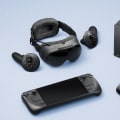
As the world of virtual reality (VR) continues to evolve, enthusiasts and gamers alike are increasingly drawn to the prospects of wireless VR systemswireless VR systems. These systems promise a level of freedom and immersion that was once thought unattainable, allowing users to explore fantastical realms without the constraints of tangled cables. However, with every revolutionary technology comes its own set of pros and cons, and understanding these factors is crucial for anyone considering a shift from traditional wired setups to the latest wireless options. In this article, we will delve deep into the benefits and drawbacks of wireless VR systems, examining how they stack up against their wired counterparts. From enhanced mobility to potential latency issues, our exploration will provide you with a comprehensive overview of what to expect when stepping into a wireless VR experience.
As we navigate through the intricacies of this technology, you'll gain insights that can guide your decision-making process, ensuring you choose the best setup for your gaming needs. So, whether you're a seasoned VR veteran or a curious newcomer, join us as we uncover the essential aspects of going wireless in the realm of virtual reality.
Wireless VR systems
have gained significant popularity in recent years, attracting gamers and tech enthusiasts alike with the promise of untethered experiences. These systems eliminate the need for cumbersome cables, allowing users to move freely within their virtual environments. This newfound freedom enhances gameplay, making the experience more immersive and engaging.For instance, devices like the Meta Quest 2 and Pico 4 exemplify the appeal of wireless VR, offering high-quality graphics and a vast library of applications while freeing users from the constraints of traditional wired setups. One of the primary advantages of wireless VR systems is the freedom of movement they provide. Gamers can roam around their play area without worrying about tripping over cables or getting tangled in wires. This unrestricted mobility allows for more dynamic gameplay, whether dodging virtual obstacles or exploring expansive virtual worlds. Furthermore, the ease of setup is another significant benefit; users can get started quickly without dealing with multiple cables and connections, making it accessible for newcomers to the VR scene. The immersive experience provided by wireless VR systems is another key selling point.
With a fully untethered setup, users can engage with their environments more naturally, enhancing the sense of presence and realism that VR offers. Titles like Beat Saber or Half-Life: Alyx showcase how an untethered experience can elevate gameplay, allowing players to fully utilize their physical space. However, it's essential to consider the drawbacks associated with wireless VR. One notable concern is potential latency issues, which can disrupt the seamless experience that users expect. While advancements in technology have minimized these delays, they can still occur in certain situations, especially if the user is far from the source device or if there are interference issues.
Additionally, battery life is a critical factor; many wireless headsets require periodic charging, which can interrupt long gaming sessions. Users may find themselves needing to manage battery levels actively or invest in backup solutions to keep their sessions uninterrupted. Moreover, wired systems still hold an edge in terms of performance. High-end gaming experiences may require the power of a wired connection to ensure optimal graphics and responsiveness. For serious gamers or those using VR for demanding applications, this limitation might impact their overall satisfaction. Addressing these concerns requires some troubleshooting knowledge.
Common issues like connectivity problems or software glitches can usually be resolved through a few straightforward steps. For example, if a headset fails to connect to its base station or PC, users should first ensure that all devices are updated with the latest software versions. Restarting both the headset and the base station can also resolve temporary connectivity issues. Additionally, confirming that no physical obstructions interfere with the signal can help maintain a stable connection. Setting up a wireless VR system involves several steps to ensure proper functionality.
First, check hardware requirements—most wireless headsets will need a compatible PC or console with sufficient processing power and RAM. Once confirmed, install any necessary software applications as directed by the manufacturer's guidelines. This process often includes setting up drivers and configuring settings through a companion app. After the initial setup is complete, users can explore a variety of applications designed to enhance their gaming experiences. Popular titles such as The Walking Dead: Saints & Sinners, Pistol Whip, and social platforms like
Some users prioritize freedom of movement and ease of use offered by wireless systems, while others favor the stability and performance of wired connections. Understanding these nuances can help potential buyers make informed decisions tailored to their specific gaming preferences.
Advantages of Wireless VR Systems
Wireless VR systems have revolutionized the way gamers experience virtual reality, offering several distinct advantages over traditional wired setups. One of the most significant benefits is mobility. With no cables to restrict movement, users can freely explore their virtual environments without the fear of tripping over wires or being tethered to a specific area.This freedom enhances immersion, allowing players to engage more fully with the VR experience. Another key advantage is the ease of setup. Wireless VR systems typically require less equipment and fewer connections than their wired counterparts, making them more user-friendly. Setting up a wireless system can often be as simple as charging the headset and connecting it to a compatible device. This simplicity appeals to both newcomers to VR and experienced gamers looking for a hassle-free setup. Additionally, the overall user experience is significantly improved with wireless VR.
Users can move around freely, interact with their surroundings, and enjoy longer gaming sessions without being confined by cables. This enhanced level of engagement not only makes gameplay more enjoyable but also allows for a more social experience, as players can move around in shared spaces without restrictions.
Troubleshooting Common Activation Issues
When setting up your wireless VR system, you may encounter activation issues that can hinder your experience. Fortunately, many common problems can be resolved with a few practical tips. First, ensure that your VR headset is fully charged and properly connected to your wireless network.A low battery or connectivity issues can prevent activation. If you are experiencing difficulty connecting your headset to your PC or console, check the compatibility of your system. Make sure that all necessary software is updated to the latest version. This includes not only the VR system software but also any drivers related to your graphics card. Another common issue arises from interference with the wireless signal. Ensure that there are no obstructions between your headset and the transmitter.
Additionally, try minimizing the number of electronic devices operating in the vicinity, as they may interfere with the signal. If you still cannot activate your VR system, consult the manufacturer’s troubleshooting guide for specific error codes or messages you may encounter during the process. These guides often provide step-by-step instructions tailored to specific issues. Lastly, consider restarting both your VR headset and your gaming device. A simple reboot can sometimes resolve activation problems by refreshing the connection and clearing any temporary glitches.
Disadvantages of Wireless VR Systems
While wireless VR systems offer a level of freedom and immersion that wired setups cannot match, they come with several significant drawbacks that potential users should consider. Understanding these limitations is crucial for making an informed decision about whether to invest in a wireless system. One of the primary concerns with wireless VR systems is latency.Latency refers to the delay between a user's actions and the corresponding response in the virtual environment. In a gaming context, high latency can result in a disjointed experience, making it difficult for players to accurately interact with their surroundings. This can lead to motion sickness and frustration, particularly in fast-paced games where timing is essential. Another critical factor is battery life. Many wireless VR headsets rely on built-in batteries, which can limit playtime.
Users may find themselves needing to recharge their headsets during extended gaming sessions, interrupting the immersive experience. Moreover, battery performance can degrade over time, potentially leading to shorter usage periods as the device ages.
Performance issues
are also prevalent in wireless setups. While advancements have been made in wireless technology, some systems may still struggle to deliver the same graphical fidelity and frame rates as their wired counterparts. This discrepancy can impact the overall gaming experience, especially in graphically intensive titles where performance is crucial. In summary, while the allure of untethered experiences is undeniable, potential users of wireless VR systems should weigh these disadvantages carefully.Latency, battery life concerns, and performance issues are all critical factors that could affect your enjoyment and satisfaction with a wireless setup.
Exploring VR Experiences and Applications
Once your wireless VR system is set up, the world of virtual reality opens up a plethora of engaging experiences and applications. With the freedom to move untethered, users can immerse themselves in a variety of VR experiences that take full advantage of this technology. One standout application is Beat Saber, a rhythm-based game where players slash blocks representing musical beats with lightsabers. Its intuitive controls and energetic gameplay make it a favorite among VR enthusiasts, providing a workout while enhancing hand-eye coordination. Another popular choice is The Walking Dead: Saints & Sinners, which offers an immersive narrative experience in a post-apocalyptic world. Players navigate through intense scenarios, making decisions that affect the story's outcome while engaging with realistic survival mechanics. For those looking for creativity and exploration, Google Earth VR allows users to fly around the globe and experience breathtaking views from anywhere on the planet.This application not only serves as a tool for exploration but also inspires curiosity about different cultures and landscapes. If you’re interested in social interactions, platforms like VRChat offer a space for users to meet and interact with others in a virtual environment. With customizable avatars and a range of user-generated content, VRChat provides endless opportunities for social engagement and creativity. Lastly, fitness enthusiasts can explore applications like Supernatural, which combines workout routines with stunning virtual environments. This unique approach to fitness keeps users motivated as they exercise while exploring beautiful landscapes. In summary, the range of wireless VR applications available enhances the overall gaming experience by offering diverse genres that cater to different interests, making it easy for users to find something that resonates with them once they are fully set up.
Best Wireless VR Headsets
When it comes to choosing a wireless VR headset, performance, features, and user reviews play a crucial role in making the right decision. Here are some of the top recommendations for wireless VR headsets available today:Oculus Quest 2: The Oculus Quest 2 is often regarded as one of the best wireless VR headsets on the market.With its standalone capabilities, impressive display, and a vast library of games, it offers an excellent balance of performance and affordability. Users appreciate its ease of setup and the ability to connect to a PC for enhanced gaming experiences.
Pico Neo 3
: The Pico Neo 3 is gaining popularity for its strong performance and comfort. Featuring high-resolution displays and a user-friendly interface, this headset is ideal for both gaming and social VR experiences. It also supports a variety of applications, making it a versatile choice.HTC Vive Focus 3
: The HTC Vive Focus 3 stands out with its enterprise-grade quality and ergonomic design.While it is priced higher than many consumer models, its superior tracking capabilities and high-resolution visuals make it well-suited for professional use and immersive gaming.
Valve Index (with Wireless Adapter)
: While primarily a wired headset, the Valve Index can be paired with a wireless adapter for those seeking the best performance. Known for its exceptional tracking and high refresh rate, it provides an immersive gaming experience that many enthusiasts swear by.Samsung Odyssey+ (with Windows Mixed Reality)
: The Samsung Odyssey+ offers a unique combination of features including high-resolution displays and built-in headphones for an immersive audio-visual experience. Though it is wired by default, users can explore wireless options through specific setups. These wildely recommended wireless VR headsets provide a range of options for gamers looking to enhance their virtual reality experience without the constraints of cables. Each headset has its unique strengths and weaknesses, so consider your needs and preferences when making a choice.Setting Up Your Wireless VR System
Setting up a wireless VR system can seem daunting at first, but with the right equipment and a few simple steps, you can enjoy an untethered gaming experience in no time.Here’s a detailed guide to help you get started with your wireless VR headset.
1.Gather Necessary Equipment
: Before you begin, ensure you have all the necessary equipment. This includes a compatible wired VR headset, the wireless adapter (if required), a powerful gaming PC or console, and a stable Wi-Fi connection. Make sure your PC meets the minimum specifications for the VR headset.2.Install Required Software
: Download and install the necessary software for your VR headset. This may include the manufacturer's app or platform, such as SteamVR or Oculus software.Ensure that your system is up-to-date to avoid compatibility issues.
3.Connect Your Wireless Adapter
: If your VR headset requires a wireless adapter, follow the manufacturer's instructions to connect it to your gaming PC. This usually involves plugging the adapter into a USB port and ensuring it is powered on.4.Configure Your Settings
: Launch the VR software and configure your settings. This includes calibrating your headset, adjusting display settings, and setting up your play area. Make sure to follow any on-screen instructions provided by the software.5.Test Your Setup
: Once everything is connected and configured, it’s time to test your setup.Launch a VR application or game and check for any latency or connectivity issues. Adjust settings as necessary for optimal performance.
6.Troubleshoot Common Issues
: If you encounter any problems during setup, consult the troubleshooting section of the manufacturer's website or user manual. Common issues may include connectivity problems, tracking errors, or software crashes. By following these steps, you will be well on your way to enjoying the immersive experience of wireless VR gaming. Remember to keep your software updated and refer to online communities for additional support and tips. In conclusion, when exploring the pros and cons of wireless VR systems, it is essential to consider the significant advantages they offer, such as enhanced mobility and a more immersive gaming experience.However, the disadvantages, including potential connectivity issues and battery life concerns, are also critical factors that could impact your overall enjoyment. Ultimately, we encourage readers to weigh these factors according to their personal preferences and gaming needs. Depending on your circumstances, both wired and wireless options have their merits, and understanding these can help you make an informed decision that best suits your gaming style.