As technology continues to evolve at a breathtaking pace, virtual reality (VR) emerges as a transformative force in the gaming industry. Among the myriad of experiences that VR offers, RPGs (role-playing games) stand out as a captivating genre that combines immersive storytelling with interactive gameplay. Imagine stepping into a world where you are not just a spectator but an active participant in epic adventures, where choices shape your destiny, and every action has consequences. This article, titled Unlocking the World of RPGs in Virtual Reality, invites you to embark on a journey through the exciting realms of virtual RPGs. We will delve into how VR technology enhances narrative depth, character development, and player engagement, creating experiences that traditional gaming cannot replicate.
From exploring vast landscapes filled with mythical creatures to forging alliances with other players in real time, the potential of RPGs in VR is limitless. Join us as we explore the unique features that make VR RPGs an unparalleled experience. We will highlight innovative titles that are pushing boundaries and examine what the future holds for this captivating fusion of storytelling and technology. Prepare to unlock new dimensions of gameplay and discover how exploring RPGs in virtual reality can redefine your gaming experience. As the realm of RPGs in virtual reality expands, it becomes crucial for gamers to understand how to activate and set up their VR systems effectively. The first step in this journey is to select a VR headset that suits your gaming needs.
Popular options include the Oculus Quest, HTC Vive, and Valve Index. Each of these headsets offers a unique experience, but the setup process is generally similar. For the Oculus Quest, start by charging the headset and turning it on. Download the Oculus app on your smartphone, create an account or log in, and follow the on-screen instructions to pair your headset.
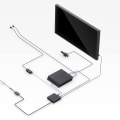
Once paired, you can set up your play area by defining boundaries and adjusting the headset settings for comfort. For the HTC Vive, ensure that you have enough space for room-scale tracking. Connect the base stations to power and your PC, then download and install SteamVR. Follow the prompts to set up your VR environment, ensuring that all sensors are correctly positioned for optimal tracking. Once everything is connected, launch SteamVR to begin calibration.
The Valve Index setup is similar; however, it also requires additional installation of its proprietary software through Steam. Make sure to check that your PC meets the necessary specifications to handle VR gaming. After successfully setting up the hardware, the next step involves installing software and configuring settings. Most VR headsets come with their own software ecosystems. For instance, the Oculus Quest has its dedicated store where you can browse and purchase RPG titles designed specifically for VR.
Ensure your headset's firmware is updated regularly to avoid compatibility issues with new games. Common activation issues may arise during setup. One frequent problem users encounter is tracking issues, often due to improper placement of base stations or obstacles in the play area. To troubleshoot this, ensure that there are no objects obstructing the line of sight between your headset and base stations. If you experience software errors, restarting both your headset and PC can resolve many glitches.
Additionally, some users report difficulty in connecting their headsets to their PCs; this can often be rectified by checking USB connections or updating device drivers. When considering which VR headset to purchase, it’s essential to weigh factors such as budget, features, and user experience. The Oculus Quest is often recommended for beginners due to its affordability and ease of use without requiring a powerful gaming PC. The HTC Vive offers a more immersive experience with precise tracking and is ideal for serious gamers looking for a robust experience. Meanwhile, the Valve Index is at the higher end of the price spectrum but provides superior visuals and audio quality, making it an excellent choice for those who prioritize performance. Once you have activated your VR system, a plethora of RPG experiences awaits you.
Virtual reality transforms traditional role-playing games by allowing players to immerse themselves in richly detailed worlds where they can interact with characters and environments in a way that feels incredibly real. Games like Blade & Sorcery offer visceral combat experiences, while titles like VRChat provide social simulations where players can create avatars and engage with others in various role-playing scenarios. The differences between these VR RPGs and traditional gaming are striking; players are not merely observing a story unfold but actively participating in it. For instance, in games like The Elder Scrolls V: Skyrim VR, players can physically swing swords or cast spells through hand gestures, creating a much more engaging experience compared to console or PC gaming. However, it's important to address potential counterarguments regarding the accessibility and cost of VR technology. While initial investments can be significant—considering the price of headsets and powerful PCs—many argue that as technology advances, prices will decrease over time.
Furthermore, many free-to-play RPGs are available on platforms like Oculus Quest or SteamVR, allowing users to explore without hefty upfront costs. As VR continues to evolve, it promises to become more accessible to a broader audience, making immersive RPG experiences available to all who seek them.
Troubleshooting Activation Issues
When diving into the world of RPGs in virtual reality, encountering activation issues with your VR system can be frustrating. However, understanding common problems and their solutions can ensure a smoother gaming experience. One frequent issue is software compatibility. Make sure your VR headset and its software are up to date.Check the manufacturer’s website for any updates or patches that may resolve activation problems. Another common hurdle is connection problems. Ensure that all cables are securely connected and that your VR headset is properly linked to your PC or gaming console. If you're using a wireless setup, confirm that the device is charged and within range of the transmitter. Some users may face account verification issues. Double-check your login credentials and make sure your account is in good standing with the VR platform.
If necessary, reset your password or contact customer support for assistance. Lastly, be aware of potential hardware malfunctions. If your headset fails to activate despite troubleshooting, consider testing it with another device to rule out hardware issues. If problems persist, reaching out to the manufacturer for repair or replacement may be necessary. By addressing these common activation issues, you can pave the way for an immersive experience in RPGs in virtual reality.
Top VR Headsets for RPG Enthusiasts
When diving into the world of RPGs in virtual reality, choosing the right VR headset can significantly enhance your gaming experience. Here are some of the top options available, each catering to different preferences and budgets.1.Oculus Quest 2:
The Oculus Quest 2 is a standalone VR headset that offers an exceptional balance of performance and price.With a resolution of 1832 x 1920 per eye and a refresh rate of up to 120Hz, it provides stunning visuals that bring RPG worlds to life. Its wireless capability allows for freedom of movement, making it a popular choice among RPG enthusiasts. Priced around $299, it's an accessible option for those new to VR.
2.Valve Index:
For those seeking the highest fidelity in their VR experience, the Valve Index is a premium headset that excels in both performance and comfort. With a resolution of 1440 x 1600 per eye and a wide field of view, it delivers breathtaking graphics that immerse players in their RPG adventures.The adjustable refresh rate up to 144Hz adds to its smooth gameplay experience. However, the complete kit, including controllers and base stations, can cost around $999, making it a more significant investment.
3.HTC Vive Pro 2:
The HTC Vive Pro 2 is another high-end option that caters well to serious gamers. It features a remarkable resolution of 2448 x 2448 per eye and boasts impressive tracking capabilities. This headset is designed for extended gaming sessions, providing comfort with its ergonomic design.The price point starts at approximately $799, making it a worthy consideration for dedicated RPG players.
4.PlayStation VR:
For console gamers, the PlayStation VR offers an affordable entry into the world of virtual reality gaming. With a resolution of 1920 x 1080 and compatibility with PS4 and PS5, it provides a solid platform for enjoying RPGs. While it may not match the specs of more expensive headsets, its price of around $399 and extensive library of compatible games make it an attractive option for PlayStation users. Choosing the right headset ultimately depends on your budget and gaming preferences. Each of these headsets offers unique features that can enhance your immersive gaming experiences.Be sure to consider your specific needs before making a decision!
Exploring RPG Experiences in VR
Virtual reality has revolutionized the way we experience role-playing games, immersing players in rich, interactive worlds that were previously unimaginable. The unique nature of RPGs in virtual reality offers a variety of experiences that cater to different gaming preferences and styles. One prominent type of VR RPG is the action RPG, where players engage in real-time combat, exploring vast open worlds. Titles like Skyrim VR allow players to physically wield weapons and cast spells, making every battle feel visceral and intense. Another popular genre is the narrative-driven RPG, which emphasizes storytelling and character development. Games such as Half-Life: Alyx provide an immersive narrative experience, where players must make choices that impact the storyline and their character's journey. Furthermore, multiplayer RPGs in VR have become increasingly popular, allowing friends to explore together in a shared space.Titles like No Man's Sky offer cooperative gameplay, where players can team up to complete quests and build their own adventures within a vast universe. The distinct mechanics of VR enhance these RPG experiences. For instance, players can interact with the environment in ways that are not possible in traditional gaming, such as physically picking up items, throwing objects, or even using hand gestures to cast spells. This level of immersion not only heightens engagement but also allows for a deeper emotional connection to the characters and stories being told. As the technology evolves, we can expect even more innovative approaches to RPGs in virtual reality, pushing the boundaries of what role-playing games can achieve.
Setting Up Your VR Headset
To fully immerse yourself in the world of RPGs in virtual reality, it is essential to have a properly set up VR headset. This process may vary depending on the specific headset you own, but here are the general steps for setting up popular models.Oculus Quest 2
: Begin by charging your headset and ensuring it is powered on.Download the Oculus app on your smartphone and create an account if you don’t already have one. Connect your headset to the app via Bluetooth. Follow the on-screen instructions to adjust your play area by defining boundaries and setting up your Guardian system to keep you safe during gameplay. Finally, download any necessary games or applications directly onto your headset.
Valve Index
: Start by connecting the base stations to a power source and positioning them at opposite corners of your play area.Next, connect the headset to your PC using the DisplayPort and USB connections. Download the SteamVR software from Steam, which will guide you through the setup process, including calibrating your headset and controllers. Make sure to adjust your play area settings for an optimal experience.
HTC Vive
: Similar to the Valve Index, set up the base stations first, ensuring they are synchronized. Connect the headset to your PC using HDMI (or DisplayPort) and USB cables.Install the Vive software and follow its instructions for room-scale setup. This includes establishing boundaries and ensuring your tracking is properly calibrated. Regardless of which headset you choose, troubleshooting common issues is crucial for an optimal gaming experience. If you encounter connectivity problems, ensure all cables are securely plugged in, and check that drivers are updated. For tracking issues, verify that base stations are positioned correctly and that there are no obstructions in the line of sight. Taking the time to properly set up your VR headset will ensure that you can fully enjoy the immersive gaming experiences that RPGs in virtual reality have to offer. In conclusion, this article has provided an insightful journey into Exploring RPGs in virtual reality, highlighting the thrilling potential that immersive gaming experiences offer.
We discussed the significance of setting up your VR headset correctly, as well as troubleshooting common activation issues that can hinder your gaming experience. The exploration of top VR headsets for RPG enthusiasts showcased the variety available to suit different preferences and budgets, while delving into the exciting world of RPG experiences in VR revealed the depth and engagement that these games can provide. To fully appreciate the captivating narratives and interactive worlds that VR RPGs have to offer, it is crucial to ensure that your equipment is properly configured and any technical issues are swiftly resolved. We encourage all gamers to dive into this evolving genre and explore various RPG titles in virtual reality, opening up new dimensions of adventure and storytelling that were previously unimaginable.