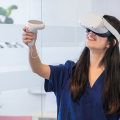
In the ever-evolving landscape of technology, premium VR headsetspremium VR headsets have emerged as a gateway to immersive experiences that were once confined to the realms of science fiction. Whether you're a seasoned gamer, an aspiring artist, or simply someone eager to explore new frontiers of entertainment, understanding the best uses for premium VR headsets can open up a world of possibilities. These cutting-edge devices not only enhance gaming experiences but also revolutionize education, training, and social interactions. Imagine stepping into a virtual world where the boundaries of reality blur and your senses are fully engaged. From exploring distant planets to walking through historical landmarks, the potential applications of premium VR technology are boundless.
In this article, we will delve into the myriad ways these headsets can transform your daily life and enhance your leisure time. Whether you're considering a purchase or simply curious about what VR has to offer, unlocking the potential of premium VR headsets is an adventure worth embarking on. Join us as we explore how these remarkable devices are reshaping our understanding of entertainment, creativity, and connection. With each advancement in VR technology, new opportunities arise—are you ready to discover them?As the world of technology evolves, premium VR headsets have emerged as a key player in the realm of immersive experiences. The excitement surrounding virtual reality is palpable, with applications spanning gaming, education, travel, and social interactions.
However, to unlock the full potential of these devices, it is crucial to understand the setup process, activation steps, and the unique features that different models offer. First and foremost, setting up a premium VR headset requires some essential hardware and software. Most high-end headsets demand a powerful computer or console equipped with a robust graphics card and sufficient RAM to handle the demanding nature of VR applications. For PC users, systems with NVIDIA GTX 1060 or AMD Radeon RX 480 graphics cards or better are recommended. Additionally, ensure your computer has USB 3.0 ports available for connecting sensors and other peripherals. Once your hardware is ready, the next step is software installation.
Each premium VR headset comes with its own software package that needs to be downloaded and installed on your computer. For instance, if you are using an Oculus Rift or Quest connected to a PC, you will need to install the Oculus app. Similarly, for HTC Vive users, the SteamVR platform is essential. Follow the on-screen instructions carefully during installation to ensure that all components are properly configured. After the software is installed, activating and calibrating your premium VR headset is the next critical phase.
Begin by following the setup wizard provided by the headset's software. This typically involves defining your play area space and ensuring that sensors are correctly positioned for optimal tracking. Calibration might involve adjusting the headset's fit and ensuring that your eyes align with the lenses for a clear view. Most headsets offer visual guides during this process to assist users in achieving perfect alignment. Despite thorough setups, users may encounter common issues such as connectivity problems or software glitches.
If your headset fails to connect to your computer, check all cable connections and ensure that all drivers are up to date. Restarting your computer can often resolve minor connectivity issues. If you experience performance lag or graphical glitches while in VR, consider reducing the graphical settings within individual applications or games until performance stabilizes. As we explore the best premium VR headsets available on the market today, each model brings unique features tailored for specific experiences. The Oculus Quest 2 is lauded for its versatility as a standalone device but also offers connectivity options for PC gaming via Oculus Link.
Its user-friendly interface makes it ideal for newcomers to virtual reality. The Valve Index stands out for its superior tracking capabilities and refresh rate, making it a favorite among serious gamers looking for an immersive experience with minimal latency. Its finger-tracking controllers enhance gameplay by allowing for more natural interactions within virtual environments. For those interested in educational simulations or professional training programs, the HP Reverb G2 provides stunning visual clarity and comfort during long sessions, making it suitable for complex applications like architectural visualization or medical training. Once you've activated your premium VR headset, a world of experiences awaits you. In gaming, titles like Half-Life: Alyx offer unparalleled immersion with intricate storylines designed specifically for VR. Educational applications range from virtual field trips to historical reenactments, allowing users to learn in engaging environments.
Virtual travel experiences can transport users to breathtaking locations around the globe without leaving their homes, while social platforms like VRChat enable users to interact with friends in a virtual space. When considering which premium VR headset suits your interests best, it's essential to reflect on your personal needs and preferences. While some may favor high-fidelity graphics for gaming, others might prioritize comfort for extended educational use. Understandably, brand preferences can spark disagreements among enthusiasts; however, it’s important to recognize that each headset caters to different facets of virtual reality experiences.Ultimately, understanding how to activate and utilize suits your interests best, it's essential to reflect on your personal needs and preferences. While some may favor high-fidelity graphics for gaming, others might prioritize comfort for extended educational use. Understandably, brand preferences can spark disagreements among enthusiasts; however, it’s important to recognize that each headset caters to different facets of virtual reality experiences. Ultimately, understanding how to activate and utilize premium VR headsets maximizes their potential and enhances your overall experience in this exciting technological frontier. By following setup instructions meticulously and exploring various applications available once activated, users can truly appreciate what these advanced devices have to offer.
Troubleshooting Common Activation Issues
Activating a premium VR headset can sometimes present challenges that may hinder your immersive experience.Below are some of the frequent problems users may encounter during activation, along with clear solutions to resolve these issues.
1.Connectivity Problems:
One of the most common issues is connectivity problems between the VR headset and your PC or console. Ensure that all cables are securely connected and that your device meets the system requirements for the VR headset. If using wireless, check your Wi-Fi connection and make sure the headset is within range.2.Software Updates:
Outdated software can prevent successful activation. Make sure that both the VR headset and its companion software are updated to the latest versions.Check for updates in the settings menu of the VR application you are using.
3.Account Issues:
Users may experience difficulties if their accounts are not properly set up or activated. Verify that you have created an account with the required platform (e.g., Oculus, SteamVR) and that you are logged in with correct credentials.4.Incorrect Setup:
Improper setup can lead to activation failures. Follow the manufacturer’s setup guide carefully, ensuring that all sensors and cameras are positioned correctly for optimal tracking.5.Hardware Malfunctions:
Occasionally, hardware malfunctions may prevent activation. If you suspect this is the case, try restarting your headset, checking for any visible damage, or contacting customer support for further assistance.6.Firewall or Antivirus Interference:
Sometimes, security software may interfere with the activation process.Temporarily disable your firewall or antivirus software to see if this resolves the issue, but remember to re-enable it after activation. By following these solutions, users can troubleshoot common activation issues and get back to enjoying their premium VR experiences without further delay.
Setting Up Your Premium VR Headset
Setting up your premium VR headset can be an exciting yet intricate process, depending on the type of headset you own. Below, we’ll outline the necessary steps for setting up different types of headsets, along with specific software and hardware requirements.1.Oculus Quest 2:
Start by charging your headset fully. Download the Oculus app on your smartphone and create an account if you don't have one. Connect your headset to Wi-Fi and follow the in-headset instructions to complete the setup.Ensure that your guardian boundaries are established for a safe play area.
2.HTC Vive Pro:
For the Vive Pro, you’ll need a powerful gaming PC. Begin by installing the Steam and SteamVR software on your PC. Connect the base stations to power outlets and sync them with your headset using the SteamVR interface. Make sure to configure your play area and set up room-scale tracking for the best experience.3.Valve Index:
Similar to the HTC Vive Pro, the Valve Index requires a strong PC.Install Steam and SteamVR, then connect the headset and base stations via USB and power sources. Follow the prompts in SteamVR to calibrate your play area, ensuring optimal tracking for immersive gameplay.
4.PlayStation VR:
For PlayStation users, connect the processing unit to your PS4 or PS5 console via HDMI and USB. Plug in the power supply and connect the headset to the processing unit. After turning on your console, follow on-screen instructions to complete setup, including adjusting headset settings for comfort. Regardless of which premium VR headset you choose, ensuring all firmware is updated is crucial for optimal performance.Additionally, familiarize yourself with any accompanying apps or software that enhance your VR experience. Always refer to your specific model's manual for detailed instructions tailored to your device.
Exploring Applications and Experiences in VR
Virtual Reality (VR) technology has transformed the way we interact with digital content, offering a range of applications that enhance user experience across various fields. From gaming to educational tools, premium VR headsets unlock a world of possibilities that cater to diverse interests and needs. One of the most popular applications of VR is in the gaming industry. Games designed for VR provide an immersive environment that allows players to step into their favorite worlds, interact with characters, and experience gameplay in a way that traditional gaming cannot match.Titles such as Beat Saber and Half-Life: Alyx showcase the potential of VR gaming, where players can physically engage with the game environment, making their experience more dynamic and exhilarating. Beyond entertainment, VR is making significant strides in the realm of education. Virtual reality applications in this field allow students to explore complex subjects through interactive simulations. For instance, medical students can practice surgeries in a risk-free environment, while history students can take virtual field trips to ancient civilizations. This hands-on approach enhances comprehension and retention of knowledge, making learning more engaging and effective. The use of VR extends into training and professional development as well.
Many companies are adopting VR simulations for employee training, enabling them to practice skills in realistic scenarios without real-world consequences. This method is particularly effective in high-stakes industries such as aviation, healthcare, and manufacturing, where precision is crucial. Furthermore, VR applications are being developed for therapy and mental health. Techniques such as exposure therapy can be enhanced through VR, providing safe environments for patients to confront fears or anxiety-inducing situations. This innovative approach has shown promising results in treating conditions like PTSD and phobias. In summary, the array of applications available in premium VR headsets not only enriches entertainment experiences but also revolutionizes education, training, and mental health treatment.
As technology continues to evolve, the potential uses for VR are bound to expand, making it an exciting field to watch.
Top Premium VR Headsets on the Market
As the world of virtual reality continues to evolve, several premium VR headsets stand out for their cutting-edge technology and immersive experiences. In this section, we will review and compare some of the best premium VR headsets currently available, focusing on their strengths and weaknesses.Oculus Quest 2
: The Oculus Quest 2 has gained immense popularity due to its all-in-one design and affordability. With a high-resolution display and a vast library of games, it is an excellent choice for both newcomers and seasoned VR enthusiasts. However, while it offers remarkable standalone capabilities, the lack of advanced tracking features compared to PC-tethered options may be a drawback for some users.Valve Index
: Known for its exceptional tracking accuracy and comfortable design, the Valve Index is a favorite among hardcore gamers.Its high refresh rate and wide field of view provide an unparalleled immersive experience. However, the requirement for external base stations for tracking can complicate setup, and its higher price point may deter budget-conscious consumers.
HTC Vive Pro 2
: The HTC Vive Pro 2 is a powerhouse in terms of visual fidelity, boasting one of the highest resolutions available in the market. This headset is perfect for those who prioritize graphical quality in their VR experiences. Nevertheless, its complex setup process and hefty price tag can be significant barriers for casual users.PlayStation VR 2
: As an upgrade to its predecessor, the PlayStation VR 2 offers enhanced visuals and improved tracking capabilities.Designed for PlayStation 5 users, it features an extensive library of exclusive titles that leverage its advanced technology. However, its compatibility limited to PlayStation consoles may exclude PC gamers from enjoying its benefits.
Pimax 8K X
: The Pimax 8K X is renowned for its ultra-wide field of view and dual 4K displays, making it a top choice for simulation enthusiasts and those seeking an expansive VR experience. However, users must be prepared for a potentially steep learning curve when configuring the headset and ensuring optimal performance with high-end PCs. Each of these premium VR headsets offers unique features catering to different types of users. When choosing a headset, consider factors such as your budget, desired applications, and whether you prefer standalone or PC-tethered experiences.Understanding these aspects will help you unlock the full potential of virtual reality technology. In conclusion, we have explored the essential aspects of setting up your premium VR headset and highlighted the importance of proper activation to ensure a seamless virtual reality experience. By following the step-by-step instructions provided, users can avoid common pitfalls and enjoy the immersive worlds that VR has to offer. We also delved into various top premium VR headsets currently available on the market, showcasing their unique features and capabilities. Furthermore, we encouraged readers to venture beyond the basics by exploring a wide range of applications and experiences in virtual reality. Whether you are interested in gaming, educational content, or social interactions, the potential for innovation and enjoyment is vast.
With the right headset and a little knowledge, you are well-equipped to unlock a whole new realm of possibilities.